A lightweight, self-hosted
task manager that
puts your privacy first.
Capture, organize, and focus. Your data stays on your server, under your control.
Open source · Self-hosted · Docker in minutes
How it works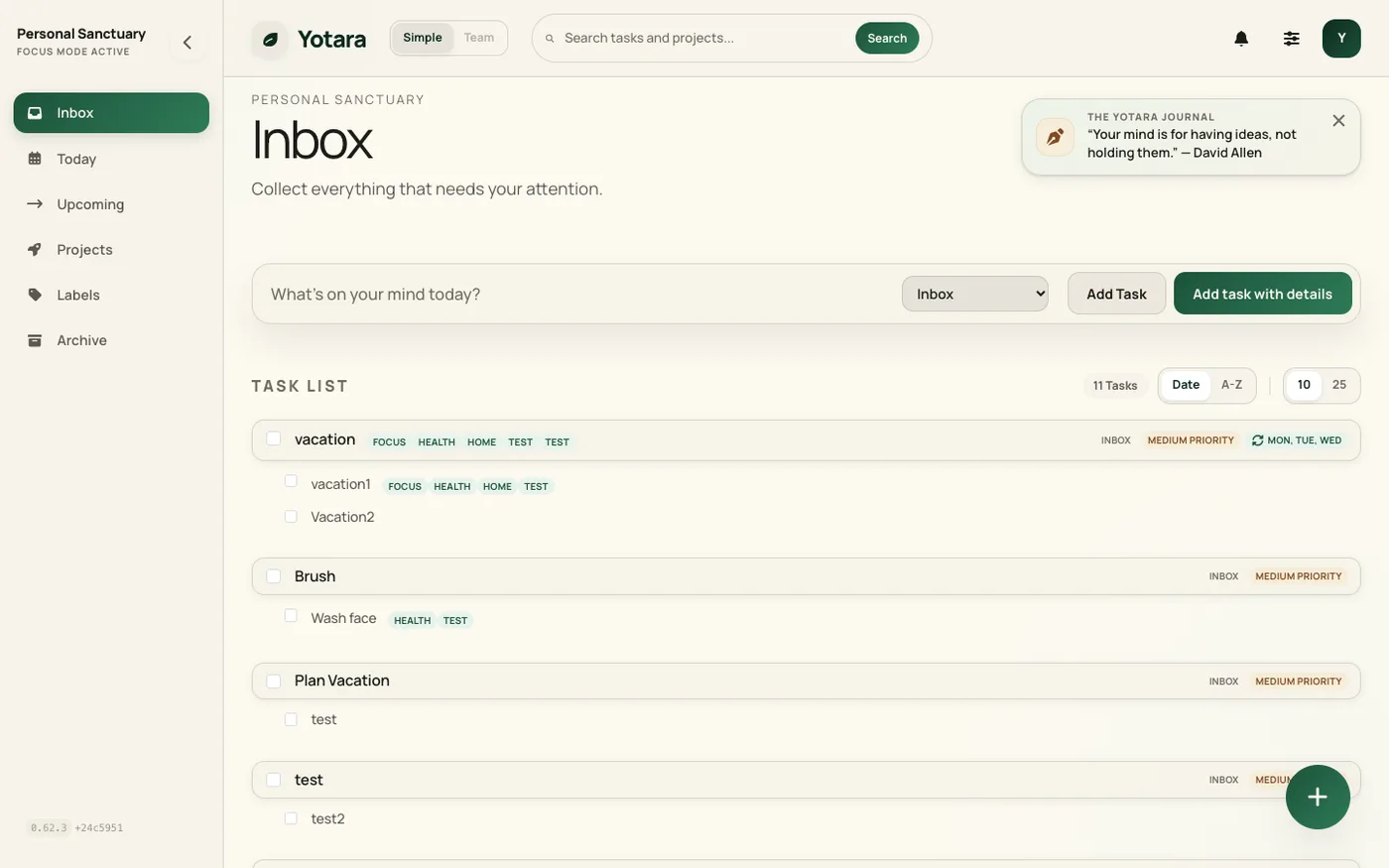
One quiet flow
Capture the moment it lands, plan what's next, and keep everything organized — without leaving the calm.

Capture
Type a thought and press enter. File it to a project on the spot, or leave it in the Inbox and decide later — either way it takes seconds.
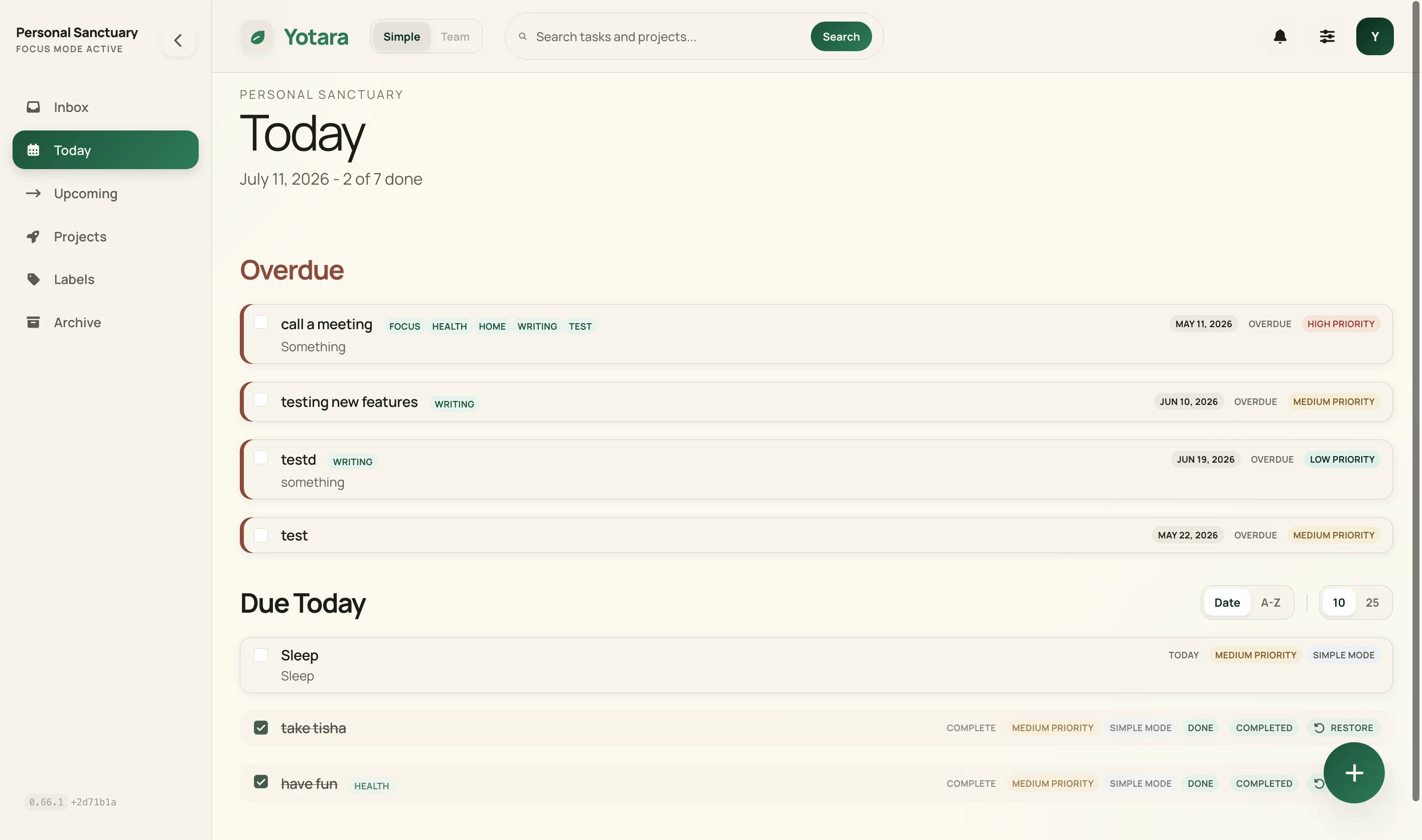
Plan Today
Today surfaces what's due and what you flagged — and an in-app reminder nudges you when a task's time comes due. One clear screen tells you where to put your attention.
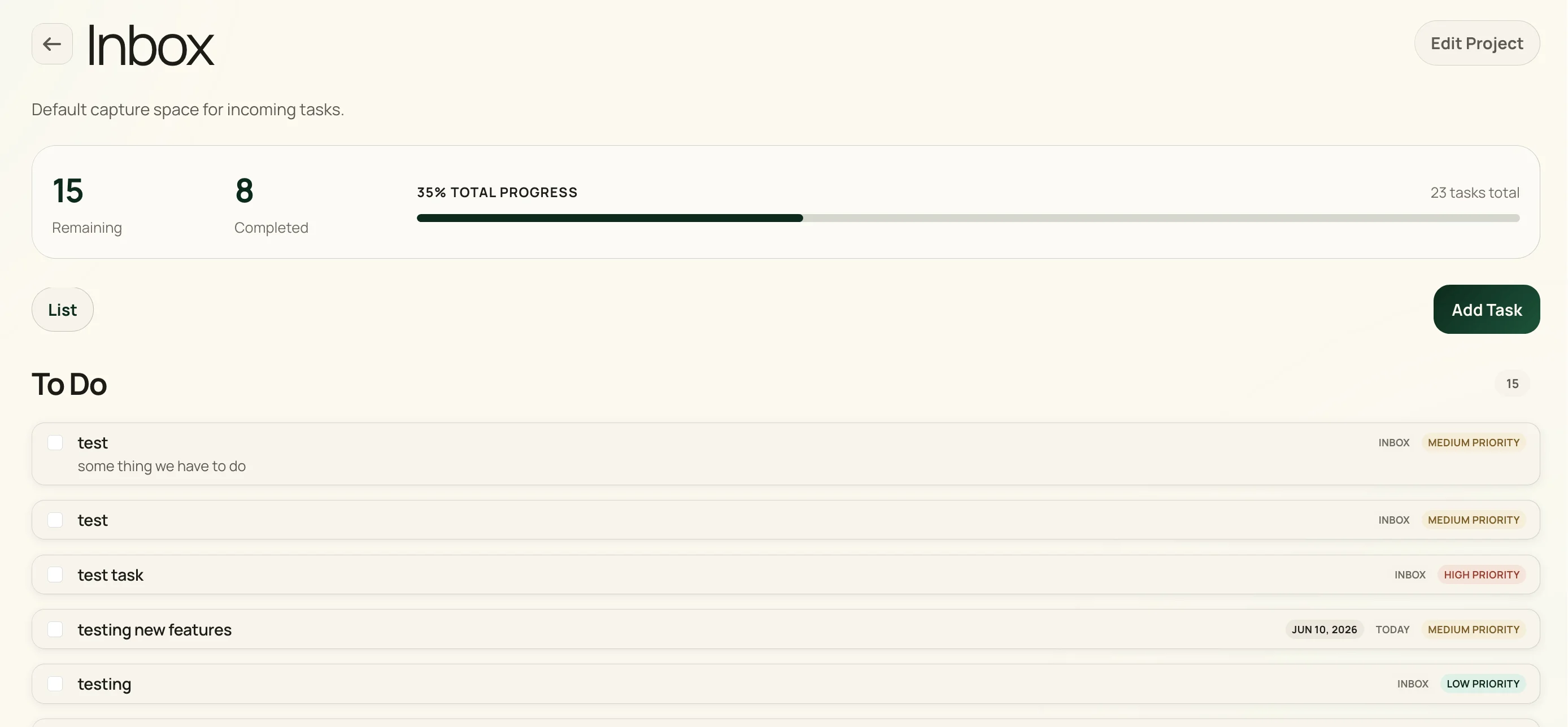
Organize projects
Group related work into projects with colors and labels. Triage the inbox when you're ready, not when tasks arrive.
Why Yotara
A little setup, then complete ownership. Hosted apps win on instant onboarding; Yotara wins on what they can't offer — your tasks living on infrastructure you control, with no subscription and no one profiling your to-do list.
A little setup
Be honest with yourself: self-hosting isn't zero effort. You'll run a Docker container and set one secret to sign sessions. Budget about fifteen minutes the first time — then it just runs.
Complete ownership
Your tasks live in a single SQLite file you can back up, copy, or move anywhere. Export to JSON whenever you like. No account to lose, no service that can shut down under you.
Calm by design
No telemetry, no ads, no upsells. Open source under MIT, so you can read exactly what runs on your server — and change it if you want to.
What you get
Quick capture, a month calendar, projects, labels, recurring tasks, due dates and times, markdown, themes, and self-hosted privacy. Everything you need, nothing you don't.
Quick Capture
Hit the capture bar, type your task, and move on. Dates and times work the way you say them: 'tomorrow at 3pm' parses with a preview before you save, and priorities are simple markers.
Projects & Labels
Group related tasks into projects, and mark them with labels that carry an icon and a color. Stay organized across work, personal, and everything in between.
Subtasks & Recurring
Break big tasks into steps. Set recurring schedules once and let them run — daily, weekly, or custom.
Rich Markdown
Write with markdown formatting and preview live. Built-in toolbar for bold, lists, and links — no syntax to memorize.
9 Handcrafted Themes
From Light Forest to Deep Trench. Every theme is handmade, not auto-generated. Light and dark modes included.
Calendar & Upcoming
A month view of everything due — drag a task to another day to move it. Upcoming groups the rest into This Week, Next Week, and Later.
Your data, portable by design
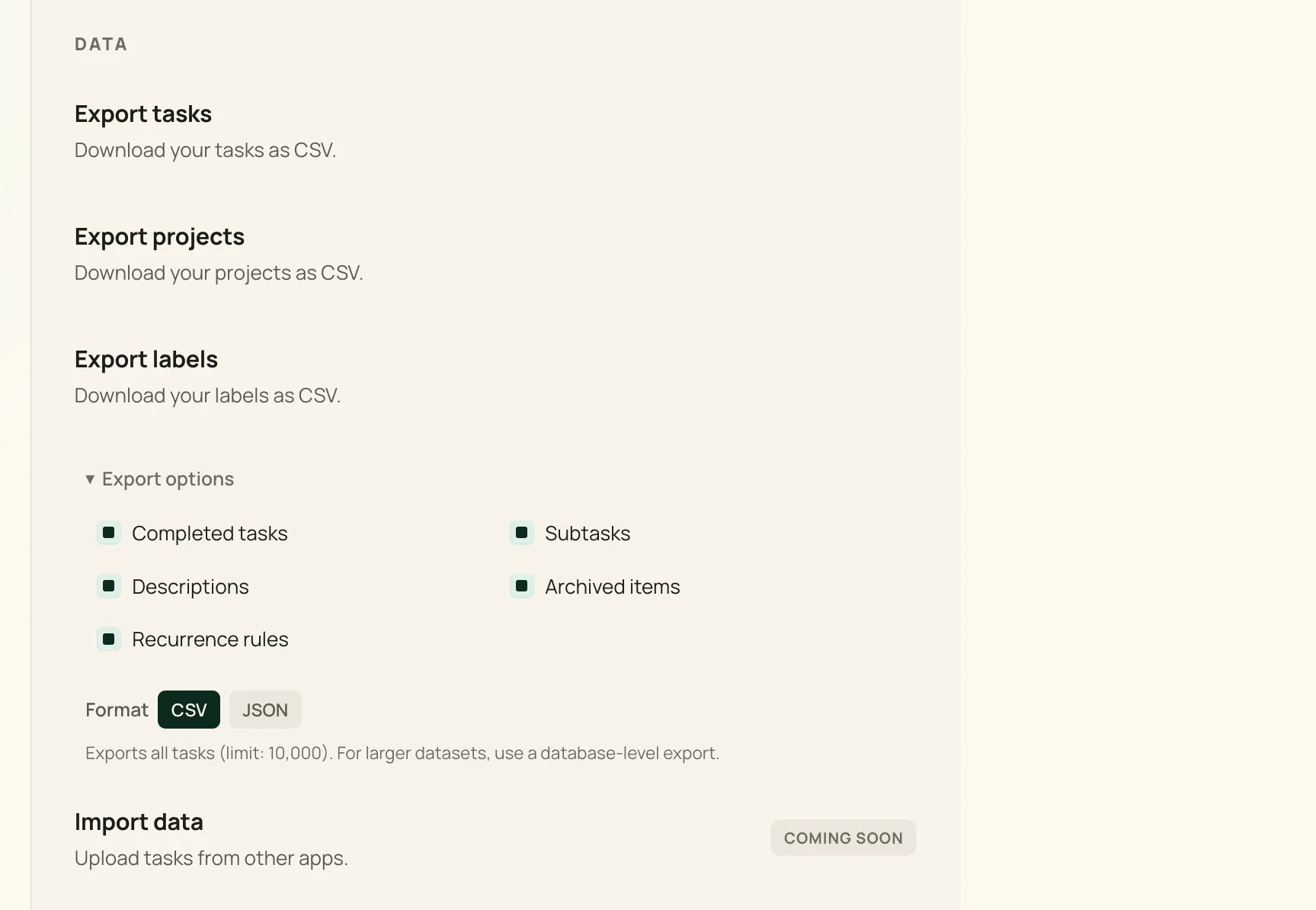
Self-hosting is only reassuring if you can leave. Yotara is built so your tasks are yours to take, copy, or move — no lock-in, no exit fee.
- Export anytime. Pull your tasks as JSON from the API whenever you like — no request, no wait.
- One plain file. Everything lives in a single SQLite file you can copy, diff, or restore with standard tools.
- No lock-in. Open source under MIT — if Yotara stops serving you, the code and your data still do.
Frequently asked questions
Is there a demo I can try? expand_more
Yes — the beta is live at beta.yotara.website. No install needed. It's the full app: create an account and start using it right away. Beta data may be reset occasionally as we ship updates, so it's best for trying things out rather than long-term use.
Do I have to self-host? expand_more
For your own permanent instance, yes. Yotara runs on your server with Docker and stores everything in a SQLite file. The beta at beta.yotara.website is a great way to try it before you install. A managed cloud option is on the roadmap for those who'd rather not self-host.
Is there a mobile app? expand_more
Not yet. The web app is responsive — capture and editing are built to work well on a phone — but there is no native iOS or Android app. A progressive web app is on the roadmap.
What is the Inbox? expand_more
The Inbox holds the tasks you haven't filed or scheduled yet — no project, no date. It isn't a project of its own, just a view of what's still unfiled. Give a task a project or a date and it moves out. New accounts start with a set of projects like Work, Personal, and Home, so filing is usually one click.
Is there a calendar view? expand_more
Yes — a month calendar sits alongside Today and Upcoming. On a desktop you can drag a task to another day to reschedule it, hover a day to create one there, and toggle whether finished tasks and task details are shown. On a phone it becomes a week strip and a day sheet you tap open. Keyboard navigation and screen-reader labels are built in.
How do reminders work? expand_more
Give a task a due time by typing it the way you'd say it — 'standup tomorrow at 9am' — and an in-app notification appears when the time arrives. Date-only tasks show up in Today instead. Reminders stay in-app: no push notifications, no email, nothing leaves your server.
How do backups work? expand_more
All your data lives in one SQLite file. Yotara runs SQLite in WAL mode, which keeps
-wal
and
-shm
sidecar files next to the database — so copy the database while the app is stopped,
or run
sqlite3 yotara.db ".backup yotara-backup.db", which is safe while it's running. Schedule backups to another disk, a remote
server, or a cloud bucket.
Can I move my tasks from another tool? expand_more
Import isn't available yet, but you can export all your tasks as JSON or CSV from the settings page at any time. If you're switching from another tool, export from there first so you keep a copy of everything.
How much does Yotara cost? expand_more
Yotara is free and open source under the MIT license. There is no paid tier, no subscriptions, no premium features. You pay for your own server, which can be as cheap as a $5/month VPS.
Built in public. Self-hosted. Yours.
Yotara is open source under the MIT license. Deploy your own instance in minutes. No tracking, no telemetry, no data collection. Built for makers, students, freelancers, and anyone who'd rather host their own task manager.
$ export BETTER_AUTH_SECRET=$(openssl rand -base64 32)
$ export RESEND_API_KEY=re_your_key_here
$ docker compose up -d